Action, informational and closeout submittals
Most current specifications divide submittals into three groups. The grouping matters because it sets the review period, the stamp that comes back and whether work can proceed without a response.
- Action submittals need a review decision. Work covered by them cannot proceed until the package comes back with an Approved or Approved as noted stamp. Product data, shop drawings, samples and delegated design calculations are the usual members.
- Informational submittals are reviewed for general compliance and filed. The reviewer does not issue an approval, although it can still return the package if something is wrong. Qualification data, certificates, test reports and manufacturer instructions sit here.
- Closeout submittals are delivered near substantial completion and form the owner's long term record. Operation and maintenance data, warranties, record documents, spare parts and extra stock materials belong here.
Technical sections list their items under headings such as "Action Submittals", "Informational Submittals" and "Closeout Submittals" in Part 1. When a section only says "Submittals" without a heading, Division 01 usually defines which family each item falls into. When neither does, ask the architect early, because the answer changes the required by dates in your log.
Product data
Manufacturer data sheets, catalog cuts, installation instructions and color charts that identify the exact product, model, options and accessories. A good product data package marks the selected options on every sheet and strikes out what does not apply, so the reviewer is not left guessing which of six models is proposed. Typical examples come from 08 71 00 Door Hardware, 09 91 23 Interior Painting and almost every Division 22, 23 and 26 equipment section.
Shop drawings
Drawings, diagrams, schedules and details prepared by the contractor, a fabricator or a supplier to show how a specific piece of work will be built and installed. They carry dimensions, materials, connections, field verified conditions and coordination with adjacent work. Structural steel, reinforcing steel, curtain wall, millwork, ductwork, fire sprinkler layouts and hardware schedules are the classic examples. Our page on shop drawings construction teams use covers how to prepare and check them, and the article on submittals and shop drawings explains when a section wants drawings and when product data is enough.
Samples
Physical pieces of material, finish or color that set the visual standard for the work. Specifications often ask for a full range of available colors for initial selection and then a set of verification samples of the chosen color. Brick, stone, laminate, carpet, paint drawdowns, fabric and metal finishes all go through this step. The approved sample is kept and used later to accept or reject installed work.
Mockups
Full size assemblies built on site or in a separate location to set the standard for appearance and workmanship, and sometimes to test performance. A masonry sample panel under 04 20 00 Unit Masonry or a curtain wall performance mockup are typical. The mockup is reviewed in place, and the approval is recorded in the log like any other stamp. Specifications state whether an approved mockup can stay in the finished work.
Delegated design submittals
Design that the contract assigns to the contractor, prepared and sealed by a professional engineer licensed in the project state. Steel connections under 05 12 00 Structural Steel Framing, cold-formed metal framing, curtain wall anchors, fire sprinkler hydraulic calculations and seismic bracing of equipment are common examples. The engineer of record reviews the package for conformance with the performance and design criteria, not for the delegated engineer's math.
Test reports and certificates
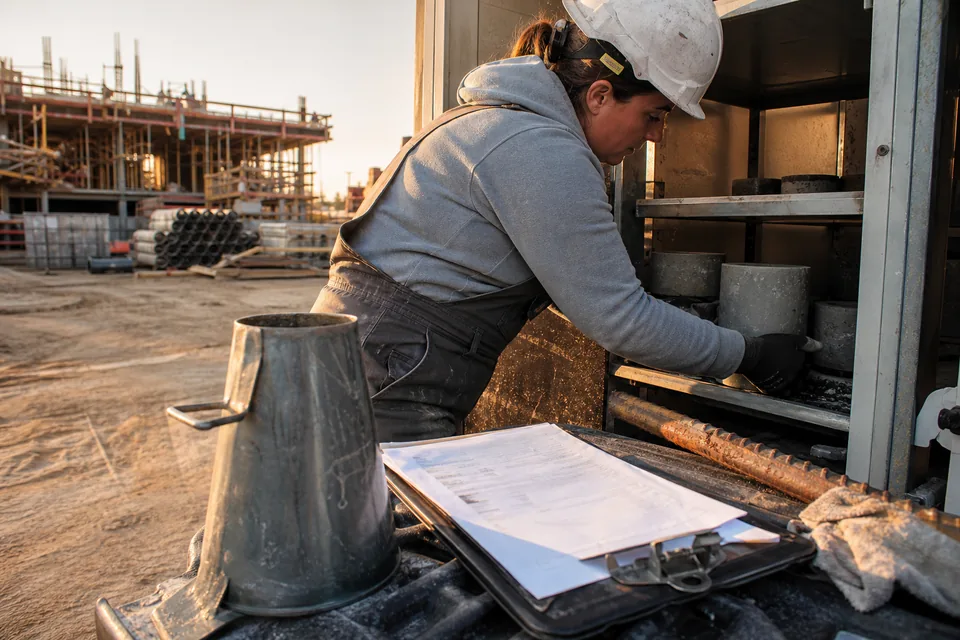
Test reports show that a product or assembly has passed a specified test, either at a laboratory or in the field. Concrete cylinder breaks, fire test reports, air and water testing of windows and the final balancing report under 23 05 93 Testing, Adjusting, and Balancing for HVAC are typical. Certificates are written statements by a manufacturer, installer or testing agency that something meets the requirement, such as a manufacturer letter that a roofing assembly qualifies for the specified warranty under 07 54 23 TPO Roofing.
Qualification data
Evidence that a firm or person meets the qualification requirements in article 1.5 Quality Assurance or similar: years of experience, list of completed similar projects, certifications held, licensed engineers on staff. Installer certification for a roofing system, welder qualifications for structural steel and the certified supervisor for a balancing agency are the usual cases. These items are informational on most projects, but some architects treat them as a condition for approving the related action submittal, so log them with an early date.
Manufacturer instructions and field reports
Installation instructions, manufacturer field reports and source quality control reports. These are filed so that inspectors and the commissioning authority can check installation against the manufacturer requirements. They often follow the work rather than lead it, so set their required by dates relative to installation, not procurement.
Operation and maintenance data
O&M manuals for equipment and systems, organized by section 01 78 23 Operation and Maintenance Data. They include operating procedures, maintenance schedules, parts lists, wiring diagrams and service contacts. The architect and the owner's facilities team review them, and on many projects a draft is due well before substantial completion so training can use it.
Warranties
Manufacturer and installer warranties, organized by section 01 78 36 Warranties. Each technical section states the warranty period and the form, for example a manufacturer system warranty for a roof or a door hardware warranty by finish. Warranties should be logged on day one so the binder is complete at the end.
Record documents
Drawings, specifications and product data marked up to show the work as actually built, organized by section 01 78 39 Project Record Documents. They are maintained during the job and submitted at closeout, often with a scanned or digital set.
Spare parts, extra stock and attic stock
Lists and transmittal records for extra materials the specification asks the contractor to deliver: extra ceiling tile, carpet, paint, filters and fuses. The item itself goes to the owner's storage, and the submittal is the signed record that it was delivered.
Sustainability documentation
Documentation that supports a green building rating or a specific performance requirement: recycled content, regional materials, low emitting materials, environmental product declarations, health product declarations and commissioning documentation. Many specifications carry this in section 01 81 13 Sustainable Design Requirements and repeat the items in each technical section. Some of it is required with the action submittal, the rest at closeout.
What the reviewer does with each type
The table below sums up the usual review action per type. Your Division 01 can set a different rule, and when it does, follow the project specification.
| Type | Family | Reviewer action | Stamps you can expect |
|---|---|---|---|
| Product data | Action | Review for design intent, return with stamp | Approved, Approved as noted, Revise and resubmit, Rejected |
| Shop drawings | Action | Review for design intent and coordination | Approved, Approved as noted, Revise and resubmit, Rejected |
| Samples | Action | Compare with design intent, select color or finish | Approved, Approved as noted, Revise and resubmit |
| Mockups | Action | Inspect on site, accept as quality standard | Approved, Approved as noted, Rejected |
| Delegated design | Action | Check against performance and design criteria | Approved, Approved as noted, Revise and resubmit |
| Test reports | Informational | Check for compliance, file | For record only, returned if deficient |
| Certificates | Informational | Check for compliance, file | For record only, returned if deficient |
| Qualification data | Informational | Check against quality assurance article | For record only, returned if deficient |
| O&M manuals | Closeout | Review for completeness, accept | Accepted, returned for completion |
| Warranties | Closeout | Check form, period and signatures | Accepted, returned for correction |
| Record documents | Closeout | Review for completeness | Accepted, returned for completion |
| Sustainability documentation | Action or closeout | Check against the rating or performance criteria | Approved, For record only, returned if deficient |
For real register rows built from each of these types, see our construction submittals examples.
Why the type column matters in the register
The type is more than a label. It drives the review period you plan for, whether a late response blocks work, and which items roll into the closeout binder. When the type column is filled consistently, you can filter the log to every action submittal still out for review, every informational item missing before installation starts, or every closeout item still open in the final month.
- Use the same type names on every project so reports compare across jobs
- Split mixed packages so each row carries one type and one stamp
- Mark delegated design rows clearly, because they need a sealed document and a longer review
- Keep closeout rows open from the first day, with the responsible company already assigned
A submittal register built this way answers the questions owners and project managers ask every week without anyone opening a spreadsheet.
How Submittal handles types
Submittal reads your specification and tags each requirement with its type as it builds the register, using the section headings and the wording of each paragraph. You can change any type before you confirm the log. Packages then move through review with the right stamps for their family, and every revision, stamp and comment stays in version history. On Business and Enterprise, approved O&M manuals, warranties and certificates assemble into one closeout binder with a table of contents. The construction submittal process page shows the full path from requirement to closeout.
Frequently asked questions
What are the three main types of submittals in construction?
Action submittals, informational submittals and closeout submittals. Action items need a review decision before work proceeds, informational items are checked and filed, and closeout items are delivered near the end of the job for the owner's records.
Is a sample an action submittal?
Yes, on most specifications. Samples set the visual standard for the work and need a selection or approval from the architect before the material is ordered.
Do informational submittals get approved?
Not in the usual sense. The reviewer checks them for compliance and files them, often with a For record only stamp, but can return them if they show that the work will not meet the requirement.
Are warranties submitted at the start or at the end?
They are delivered at closeout, but they should be listed in the register from the start of the job so the responsible company knows what form and period the specification requires.