Skip to content
Submittal

Construction specification software that turns the project manual into a submittal log

The submittal requirements of a project live in Part 1 of each specification section, spread across hundreds or thousands of pages. Submittal reads the project manual with AI, finds each MasterFormat section and its submittal articles, and writes a register row for every required item with a link back to the paragraph that asked for it.

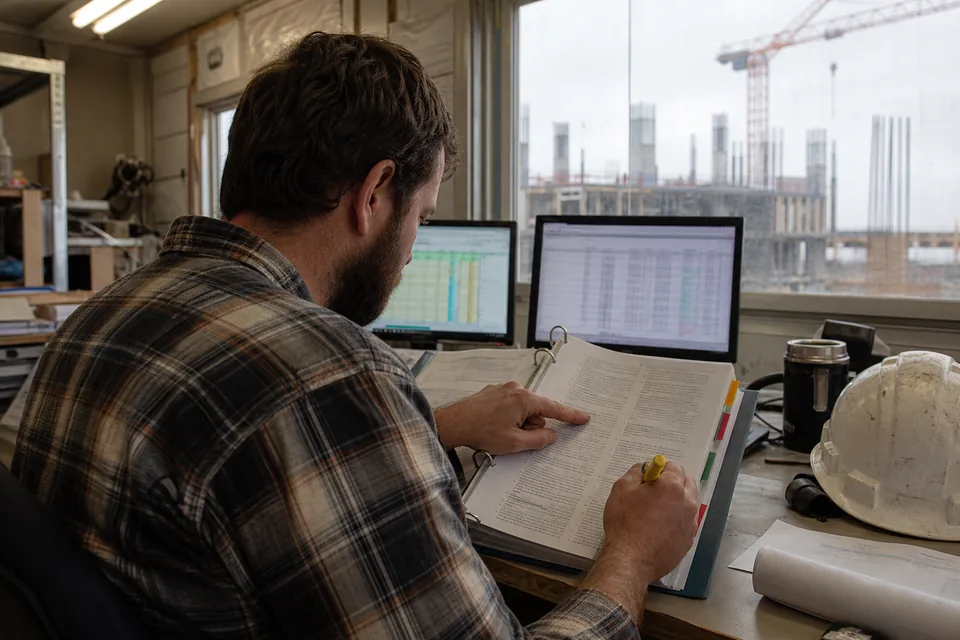
Project engineer at a site trailer desk reading one section of an open project manual binder with tabbed dividers, two monitors and a hard hat beside it
1.0

The three-part section format, read the way a project engineer reads it

Most commercial specs follow the three-part format: Part 1 General, Part 2 Products, Part 3 Execution. The submittal requirements sit in Part 1, usually in an article titled Submittals, Action Submittals, Informational Submittals or Closeout Submittals, often numbered 1.3 to 1.6 depending on the master the specifier used. Submittal reads those articles in each section and also catches requirements placed elsewhere, such as a mockup called for in Quality Assurance or a warranty article that asks for a signed warranty form at closeout.

  • Section numbers and titles in six-digit MasterFormat, such as 09 91 23 Interior Painting
  • Submittal articles in Part 1, including action, informational and closeout groups
  • Requirements outside the Submittals article, such as mockups, qualification data and warranties
  • Division 01 sections such as 01 33 00 Submittal Procedures, read like any other section
2.1

Each section found, titled and kept in order

The project manual is split into sections by their headers and table of contents, so 08 71 00 Door Hardware and 08 80 00 Glazing become separate groups of rows even when they run together in one PDF. Section titles are kept exactly as the specifier wrote them. Where a manual still uses five-digit legacy numbers, the numbers are kept as written, and you can rename sections in the register if the project standard requires it.

2.2

What one section produces

Take 23 05 93 Testing, Adjusting and Balancing. Paragraph 1.4.A asks for qualification data for the TAB firm, 1.4.B for the TAB strategies and procedures plan, 1.4.C for the certified TAB report and 1.4.D for instrument calibration reports. That is four rows, each with its type, its paragraph and the reviewer, typically the mechanical engineer of record.

3.0

Scanned manuals go through text recognition first

Owners and older design firms still issue project manuals as scans of printed pages. Submittal runs text recognition on scanned pages before reading them, so section headers, paragraph numbers and article titles are recovered from the image. Scans with heavy skew, handwriting in the margins or faint copies read less reliably, which is one more reason every row carries its paragraph reference and can be checked against the page.

  • Native PDFs and scanned PDFs in the same upload
  • Whole manuals, single divisions or single sections
  • Spec pages read by AI count toward the monthly plan limit: 1,500 on Starter, 8,000 on Team, 40,000 on Business, 150,000 on Enterprise
4.0

Every row points to the sentence that required it

A register row without a source is a guess. In Submittal, each row stores the section, the paragraph reference such as 1.4.B and the quoted spec text, and opens the paragraph in context with one click. When the architect asks why the sub submitted a keying schedule, or the sub asks why the GC rejected a package for missing color charts, the answer is the quoted paragraph on the row. The same link stays on the row through packages, stamps and exports, so the submittal log remains traceable all the way to closeout. Spec text sent to AI is not used to train models.

5.0

A fast review that a project engineer still owns

AI reading replaces the days of page turning, not the judgment. After import, a short review of each section next to its rows is part of the process.

  • Duplicates where the spec repeats one requirement in two articles: merge them
  • Combined items where one paragraph lists several deliverables: split them
  • Cross references such as "comply with Section 01 33 00": check that the procedures rows carry the right review time
  • Delegated design items such as engineered stair or curtain wall calculations: confirm the responsible company
  • Closeout items like O&M data and warranties: assign them now so they do not surface at the end
  • Rows the spec places under Quality Assurance, such as mockups and qualification data

Once the review is done, the register feeds packages and the review workflow described on the construction document control software page.

6.0

From the spec to packages without retyping

The rows built here become the submittal register for the project and the basis for packages, numbering like 099123-001-R0, reviewers and required-by dates. If a log already exists, import it from Excel or CSV and run the spec import beside it to find items the old log never had. The manual method is compared step by step in our guide on the submittal log from spec book approach, and all product features are on the submittal software page.

7.0

Frequently asked questions

Does it work with any spec format?

It reads specs in the three-part section format with MasterFormat numbering, native or scanned. Sections that use legacy five-digit numbers are kept as written.

How do I know the AI did not miss anything?

Every row shows its paragraph, so you read each section beside its rows and see what is covered. Missing items are added by hand and duplicates merged, with every change kept in the history.

Can I upload one section instead of the whole manual?

Yes. Upload a single section, a division or the full manual, and add reissued sections as addenda arrive.

Is my spec text used to train AI models?

No. Spec text sent to AI is used only to build your register and is not used to train models.

Build your first submittal log